An AI-native
game engine.
Unreal-level fidelity with Unity-level ease. Every edit, from you, a C# script or an AI agent, is a typed command you can undo, so agents work in your project like a teammate.
Geometry
1.09billion
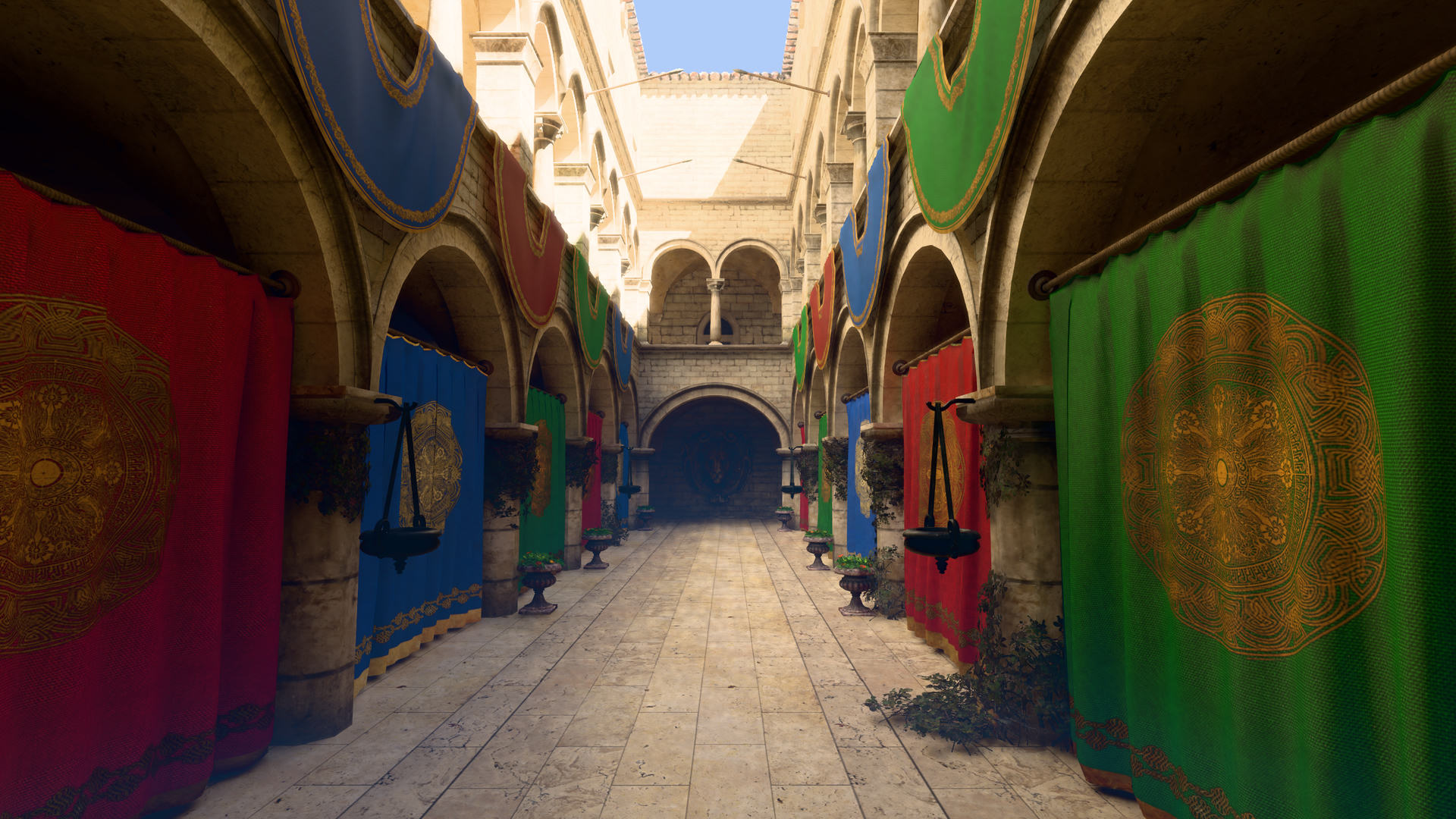
Scanned triangles rendered in 4.6 ms at native 1440p with virtual geometry
Measured on a Ryzen 7 7800X3D and RTX 4070 SUPER under Windows 11, on a machine shared with other builds. Treat every number as an upper bound.
Agents are first-class users, not an add-on.
Agent edits apply like a teammate's: live in the editor's activity feed, attributed, and undoable one turn at a time. Here is one turn.
One command registry
Menus, the palette, shortcuts, the ara CLI, C# and MCP all run the same 272 typed commands. Each edit is an undoable transaction with an author and a reason.
A built-in MCP server
Claude Code, Codex or any MCP client gets the editor's own tools. One global connection through Ara Hub sees every registered project.
ara why
Explains a problem from diagnostics gathered across every subsystem, with ranked causes, evidence and fixes an agent can run.
Worlds as text that merges
Scenes are canonical JSON with @path#id references, and ara merge three-way merges them, so agents and people can branch freely.
$ ara do entity.create -p name=Lamp --why "Light the crate"
applied tx_rgxnv0fs to levels/main.scene (revision 1)
  created: e_wvxb Lamp
undo this turn: ara_session {"action": "rollback", "to": "cp_0cjgacmx"}

$ ara why name:Lamp not visible
why is `Lamp` (e_wvxb) in levels/main.scene not visible: 2 causes, 1 certain
1. [high] `Lamp` (e_wvxb) has no renderer component, so it has nothing to draw (ARA3301)
   fix: Add a `MeshRenderer`: component.add {"entity":"e_wvxb","component":"MeshRenderer"}
2. [medium] `levels/main.scene` has no enabled camera, so nothing in it is drawn in game (ARA3310)
   then: add an entity with a `Camera` component (`entity.create`)
C# 14, reloaded before you look up.
Gameplay is plain C# on .NET 10, hosted inside the engine process. Edit a method and it's live with every entity's state intact; ship it with NativeAOT.
1namespace Outpost;23/// <summary>A door that swings open around its Y axis when IsOpen is set.</summary>4public sealed partial class Door : Behaviour5{6/// <summary>How far the door opens.</summary>7[Property, Unit(Units.Degrees), Range(0, 180)]8public partial float OpenAngle { get; set; }910/// <summary>Whether the door should be open.</summary>11[Property, Replicate] public partial bool IsOpen { get; set; }1213[Transient] float _degreesPerSecond;1415protected override void OnSpawn() => _degreesPerSecond = 90f;1617protected override void OnTick(in Tick t)18{19ref var tr = ref Get<Transform>();20var target = IsOpen ? OpenAngle : 0f;21var step = _degreesPerSecond * t.Dt;22tr.Rotation.Y = MathF.Abs(target - tr.Rotation.Y) <= step23? target24: tr.Rotation.Y + MathF.Sign(target - tr.Rotation.Y) * step;25}26}
Hot reload · method-body edit
19ms
p50, with every entity's state kept. The edit in Door.cs just happened; nothing restarted.
- Additive edit new members
- 35–41 ms
- Module swap whole assembly
- ≈285 ms
- Rust ↔ C# call NativeAOT
- 3.5 ns
How far the door opens.
Whether the door should be open. Replicated.
Measured, with the misses published.
Every frame-time claim has a budget and every comparison runs on the same machine. Where Ara falls short, it says so.
Head to head · same machine
Ara Comparisonms · lower is better1M transforms
vs Unity DOTS
0.330.5337%faster
1M particles
vs Unity DOTS
0.210.5158%faster
Spawn/despawn churn
vs Unity DOTS
1.112.5957%faster
1,000 actors × 65 bones
vs ozz-animation
1.461.9927%faster
Boids
vs Unity DOTS
Ara is behind here, and the gap is published with the rest.
3.5–28%slower
Unity 6 IL2CPP + Burst and ozz-animation, on the same machine, with bit-exact results.
Performance bar · D26
Every scene inside its budget.
GPU time (p50) at 2560 × 1440 on an RTX 4070 SUPER, against UE5-class budgets per quality preset.
- CPU, Play p95
- 2.41 ms
- of 4 ms
- Frames over 16 ms after the first
- none
- of none
- Player cold loading frame
- 0.72–0.99 s
- of 2 s
- Player warm first scene
- 1.24–1.91 s
- of 3 s
| Scene | Lowbudget 2 ms | Mediumbudget 3.5 ms | Highbudget 6 ms | Epicbudget 10 ms |
|---|---|---|---|---|
| Outpost | 1.52ms | 3.04ms | 3.81ms | 5.39ms |
| Hangar | 1.26ms | 1.88ms | 3.14ms | 3.96ms |
| Showcase | 0.83ms | 1.26ms | 1.77ms | 2.69ms |
Not there yet: Jolt physics, boids, the 4 ms virtual-geometry target and the D27 record budgets.
D26 reading ↗Simulation ↗Animation ↗Known issues ↗From download to your first agent turn.
Step 01
Install Ara Hub
Hub installs engine versions side by side and keeps itself up to date. This alpha isn't code-signed yet, so SmartScreen may warn.
Step 02
Create a project
In Installs, pick Preview and install engine 0.0.2-alpha.3. Then start a Starter, Outpost or Material showcase project and press Play.
Step 03
Connect your agent
Hub's Connect an AI agent page gives Claude Code or Codex a one-line setup. One global MCP server covers every project.
claude mcp add --scope user ara -- '…\ara.exe' mcp
Needs Windows 10/11 x64, a Vulkan 1.3 GPU with a current driver, 16 GB RAM and the .NET 10 runtime. macOS (Metal 4) is next.
Make something with Ara.
It's an early alpha for testers and agents. Tell us what breaks.